![Audere_Logo_White_RGB_TM.png]](https://support.audere.com/hs-fs/hubfs/Audere_Logo_White_RGB_TM.png?height=32&name=Audere_Logo_White_RGB_TM.png)
To switch your Audere account:
- Select your Profile icon in the upper-right corner of the page and then select Accounts to display the drop-down list of accounts you have access to.
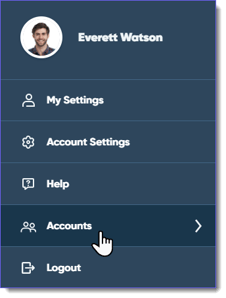

- Select an Account Name to switch to that account.
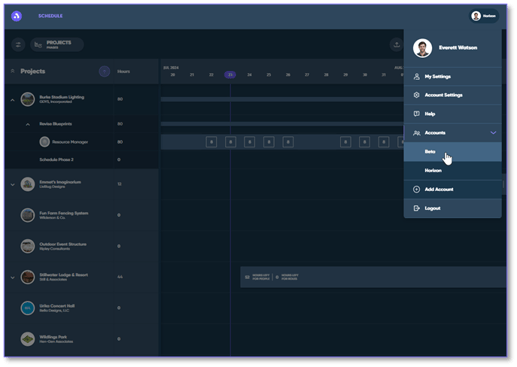
- Accounts are listed in alphanumeric order.
- Expired accounts display in the drop-down list; however, deleted accounts don't.
See Also: